Data Visualization
Data Visualization
Data Visualization
Designing data for some big names
Services
Services
Services
Data Visualization
UX/UI Design
Project Management
Data Visualization
UX/UI Design
Project Management
Year
Year
Year
2019-today
2019-today
2019-today
Overview
Overview
Overview
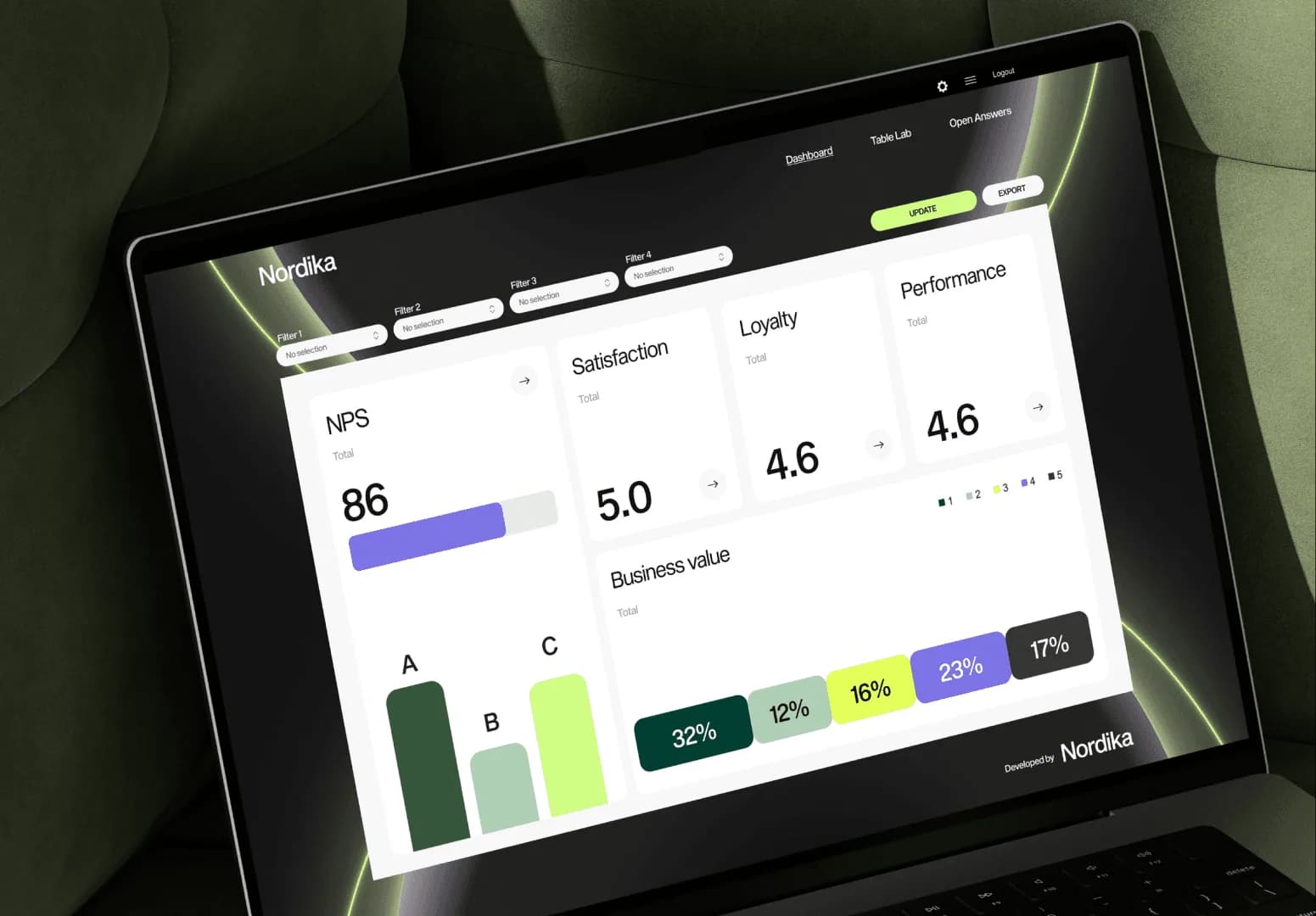
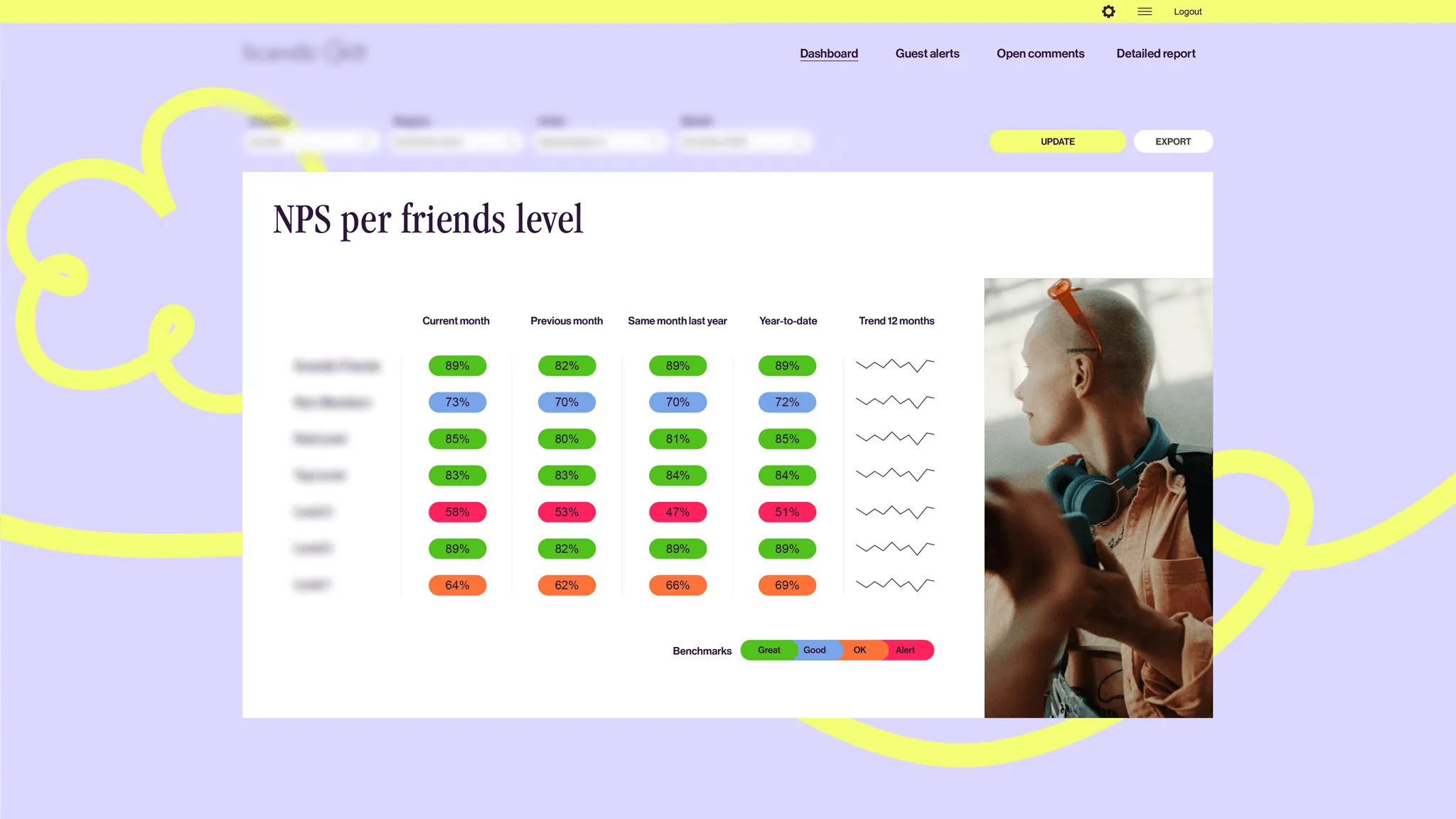
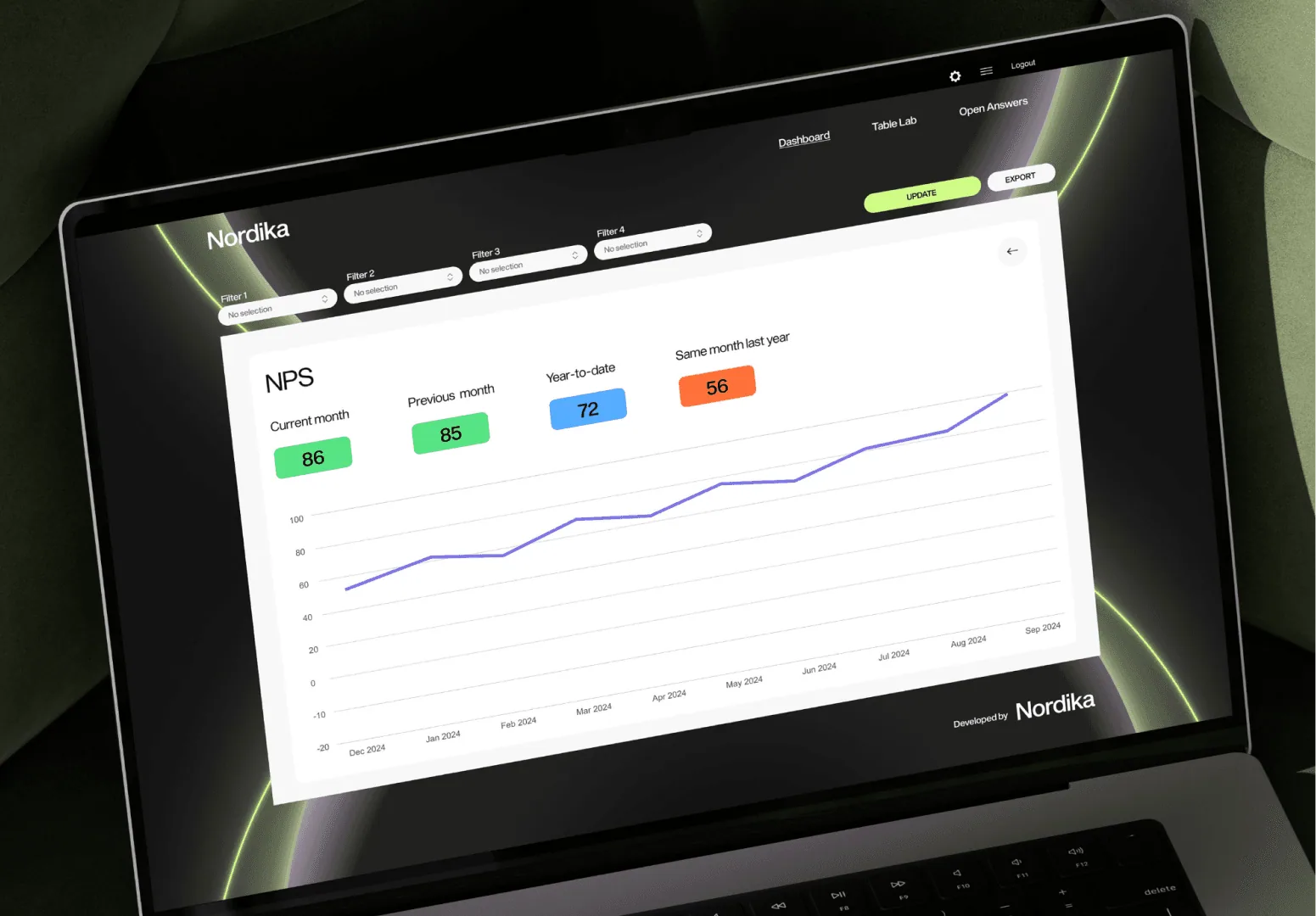
I’ve always loved designing, but I never thought that one day I would end up designing data. I’m a self-taught designer who came into the world of data when I started working in ex. Dapresy, now Forsta Visualization. At first glance, it was quite demanding, but I fell in love with all these tables, charts, and logic. That opened opportunities for me to build dashboards for global brands like DHL, Scandic, Vodafone, Sandvik, and more. Below you can find some rules, tips, and tricks that I learned through my experience in designing data.
Different audiences, different needs
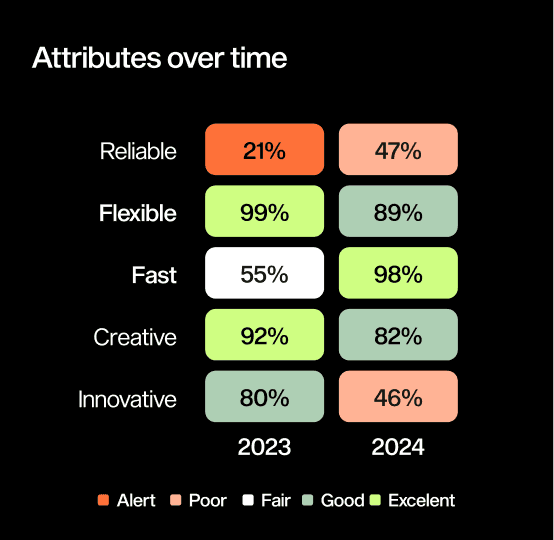
One of the biggest mistakes people make with data visualization is assuming that one perfect dashboard or one “clean chart” works for everyone. It doesn’t. The same rules you use in UX design should be applied here.
A visual that helps an analyst uncover patterns will completely overwhelm a CEO. And something simple enough for the general public might feel like “kindergarten charts” to someone who works with data all day.
One of the biggest mistakes people make with data visualization is assuming that one perfect dashboard or one “clean chart” works for everyone. It doesn’t. The same rules you use in UX design should be applied here.
A visual that helps an analyst uncover patterns will completely overwhelm a CEO. And something simple enough for the general public might feel like “kindergarten charts” to someone who works with data all day.


Analysts
Analysts
These are people who love details. They want to slice, filter, compare, drill down, and explore. For them, more detail isn’t a problem. Also, don’t try to “simplify” too much for them. They want to see the full story.
They need:
Interactive dashboards
Lots of metrics
Precise numbers
Tools to explore the data on their own
These are people who love details. They want to slice, filter, compare, drill down, and explore. For them, more detail isn’t a problem. Also, don’t try to “simplify” too much for them. They want to see the full story.
They need:
Interactive dashboards
Lots of metrics
Precise numbers
Tools to explore the data on their own
C-level (CEOs, CMOs, CFOs…)
Busy. Impatient. Decision-focused. You have maybe 10–20 seconds before they decide whether your chart matters or not. Give them clear summaries, big takeaways, simple visuals, and context. No walls of charts. No 20-page dashboards.
They don’t want to become analysts. They want you to tell them:
What changed?
Why did it happen?
What should we do about it?
Busy. Impatient. Decision-focused. You have maybe 10–20 seconds before they decide whether your chart matters or not. Give them clear summaries, big takeaways, simple visuals, and context. No walls of charts. No 20-page dashboards.
They don’t want to become analysts. They want you to tell them:
What changed?
Why did it happen?
What should we do about it?
General public
General public
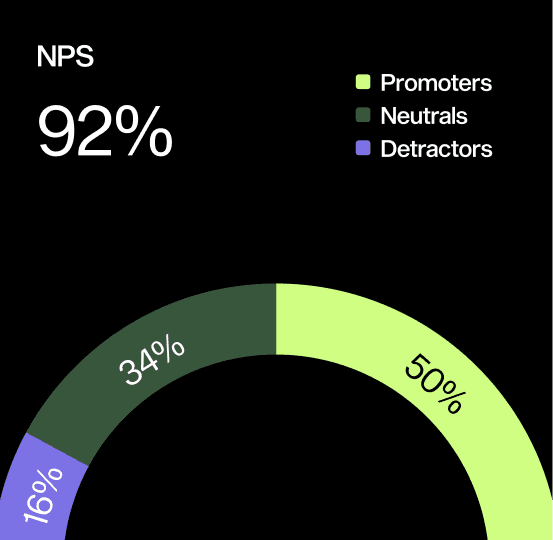
Here, clarity wins every time. If your chart requires education to read, it’s already failing. These people need simple, visual explanations, not technical details or internal jargon. This is where infographics shine. Icons, short text, a clear story, and clean visuals.
Pro tip: You can do research (or take available data) about topics that are interesting for everyone, for example, designer salaries (based on location, industry, job position, etc.) and then you can use this data to showcase your skills.
So, when do you use dashboards, storytelling, or infographics?
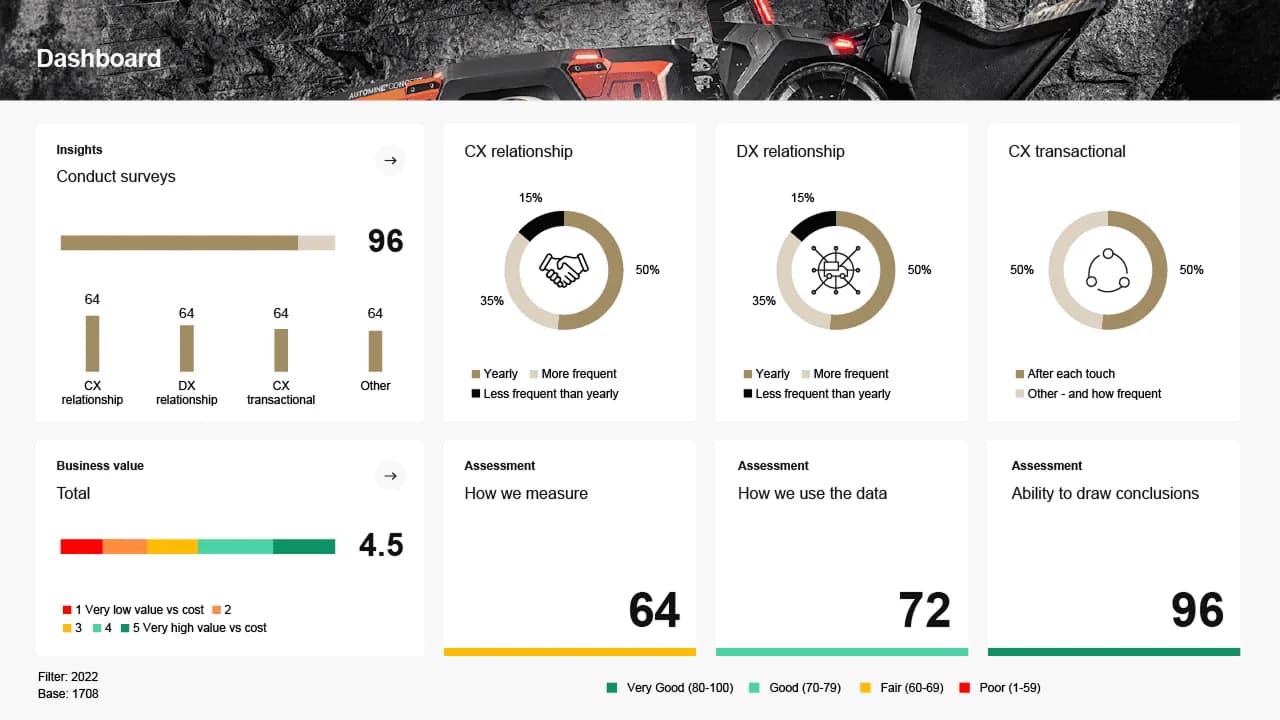
Dashboards
Think of dashboards as “data for people who want to dig in.”
They’re great when someone needs to monitor things regularly, like performance, sales, CX results, brand tracking. They’re built for exploring, not convincing.
Storytelling
This is for explaining what happened.
A story works best when you want to guide someone through the data and point out what matters. It’s perfect for presentations, reports, research summaries, or anything where the “why” is more important than the raw numbers.
Infographics
These are your “make-it-easy” visuals.
Use them when your audience doesn’t want deep analysis.
They just want to understand the message quickly.
Dashboards
Think of dashboards as “data for people who want to dig in.”
They’re great when someone needs to monitor things regularly, like performance, sales, CX results, brand tracking. They’re built for exploring, not convincing.
Storytelling
This is for explaining what happened.
A story works best when you want to guide someone through the data and point out what matters. It’s perfect for presentations, reports, research summaries, or anything where the “why” is more important than the raw numbers.
Infographics
These are your “make-it-easy” visuals.
Use them when your audience doesn’t want deep analysis.
They just want to understand the message quickly.


10 simple tips that will instantly improve your visualizations
Here’s the good stuff, the practical advice. These come from experience, mistakes, and a lot of trial and error. At the end of the day, one thing always proves true: simplicity wins.
Always start with the question you’re answering.
Charts without a purpose become decoration.
Remove anything that doesn’t help someone understand the story.
Less noise = clearer message.
Use color with intention
Color isn’t decoration, it’s meaning
Choose the simplest chart that works
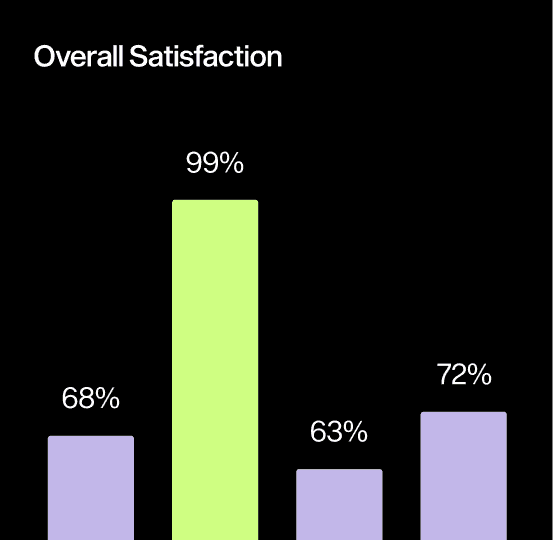
Bar chart > fancy experimental charts 99% of the time
Make the most important thing the most visible
Your eyes should know where to look first
Don’t label everything, label what matters
Over-labeling kills clarity
Avoid 3D charts (seriously, just don’t)
They distort everything
Add small notes or annotations to explain key moments
It saves the viewer from guessing
Keep your scales honest
No manipulating axes to make results look more dramatic
Test your chart on someone who didn’t create it
If they’re confused, your audience will be too.
Always start with the question you’re answering.
Charts without a purpose become decoration.
Remove anything that doesn’t help someone understand the story.
Less noise = clearer message.
Use color with intention
Color isn’t decoration, it’s meaning
Choose the simplest chart that works
Bar chart > fancy experimental charts 99% of the time
Make the most important thing the most visible
Your eyes should know where to look first
Don’t label everything, label what matters
Over-labeling kills clarity
Avoid 3D charts (seriously, just don’t)
They distort everything
Add small notes or annotations to explain key moments
It saves the viewer from guessing
Keep your scales honest
No manipulating axes to make results look more dramatic
Test your chart on someone who didn’t create it
If they’re confused, your audience will be too.
Conclusion
Conclusion
Data visualization is basically storytelling. And just like you wouldn’t tell the same story in the same way to a child, a friend, and your boss, you shouldn’t show the same data to every audience in the same way.
If you know who you're talking to, choosing the right visual style becomes easy. And once you combine that with simple, thoughtful design, your charts stop being “charts”… and become something people actually understand and remember.
Data visualization is basically storytelling. And just like you wouldn’t tell the same story in the same way to a child, a friend, and your boss, you shouldn’t show the same data to every audience in the same way.
If you know who you're talking to, choosing the right visual style becomes easy. And once you combine that with simple, thoughtful design, your charts stop being “charts”… and become something people actually understand and remember.
Different audiences, different needs
One of the biggest mistakes people make with data visualization is assuming that one perfect dashboard or one “clean chart” works for everyone. It doesn’t. The same rules you use in UX design should be applied here.
A visual that helps an analyst uncover patterns will completely overwhelm a CEO. And something simple enough for the general public might feel like “kindergarten charts” to someone who works with data all day.

Analysts
These are people who love details. They want to slice, filter, compare, drill down, and explore. For them, more detail isn’t a problem. Also, don’t try to “simplify” too much for them. They want to see the full story.
They need:
Interactive dashboards
Lots of metrics
Precise numbers
Tools to explore the data on their own
C-level (CEOs, CMOs, CFOs…)
Busy. Impatient. Decision-focused. You have maybe 10–20 seconds before they decide whether your chart matters or not. Give them clear summaries, big takeaways, simple visuals, and context. No walls of charts. No 20-page dashboards.
They don’t want to become analysts. They want you to tell them:
What changed?
Why did it happen?
What should we do about it?
General public
Here, clarity wins every time. If your chart requires education to read, it’s already failing. These people need simple, visual explanations, not technical details or internal jargon. This is where infographics shine. Icons, short text, a clear story, and clean visuals.
Pro tip: You can do research (or take available data) about topics that are interesting for everyone, for example, designer salaries (based on location, industry, job position, etc.) and then you can use this data to showcase your skills.
So, when do you use dashboards, storytelling, or infographics?
Dashboards
Think of dashboards as “data for people who want to dig in.”
They’re great when someone needs to monitor things regularly, like performance, sales, CX results, brand tracking. They’re built for exploring, not convincing.
Storytelling
This is for explaining what happened.
A story works best when you want to guide someone through the data and point out what matters. It’s perfect for presentations, reports, research summaries, or anything where the “why” is more important than the raw numbers.
Infographics
These are your “make-it-easy” visuals.
Use them when your audience doesn’t want deep analysis.
They just want to understand the message quickly.

10 simple tips that will instantly improve your visualizations
Here’s the good stuff, the practical advice. These come from experience, mistakes, and a lot of trial and error. At the end of the day, one thing always proves true: simplicity wins.
Always start with the question you’re answering.
Charts without a purpose become decoration.
Remove anything that doesn’t help someone understand the story.
Less noise = clearer message.
Use color with intention
Color isn’t decoration, it’s meaning
Choose the simplest chart that works
Bar chart > fancy experimental charts 99% of the time
Make the most important thing the most visible
Your eyes should know where to look first
Don’t label everything, label what matters
Over-labeling kills clarity
Avoid 3D charts (seriously, just don’t)
They distort everything
Add small notes or annotations to explain key moments
It saves the viewer from guessing
Keep your scales honest
No manipulating axes to make results look more dramatic
Test your chart on someone who didn’t create it
If they’re confused, your audience will be too.
Conclusion
Data visualization is basically storytelling. And just like you wouldn’t tell the same story in the same way to a child, a friend, and your boss, you shouldn’t show the same data to every audience in the same way.
If you know who you're talking to, choosing the right visual style becomes easy. And once you combine that with simple, thoughtful design, your charts stop being “charts”… and become something people actually understand and remember.
Other projects
Other projects


Almost a startup - Feesless Web App
After winning the Greenback Hackathon, we tried turning our idea into a real product. It didn’t succeed, but here is the full story


Probably the hardest thing I did
Since high school I dreamed of running my own business, but I never expected how challenging working for yourself would be.


From 0 to 100 to support my dad
I created my dad’s brand completely from scratch. The logo, visual identity, copy, website, development, and all advertising.
Want to collaborate?
Whether it’s designing something bold, sharing a beer, or exploring a new corner of the world, I’m ready. Drop me a message at info@dejanzonjic.com, and let’s create something amazing!


Do better
every day
Do better
every day
Do better
every day
Do better
every day